
GPT Image 2.6 GIF: How to Generate and Loop Animated GIFs
 Image to Image AI Team
GPT Image 2.6 GIF generation outputs animated GIFs natively. See how Flare and Sunburst differ on the same prompt, why loops fail, and how to edit frames.
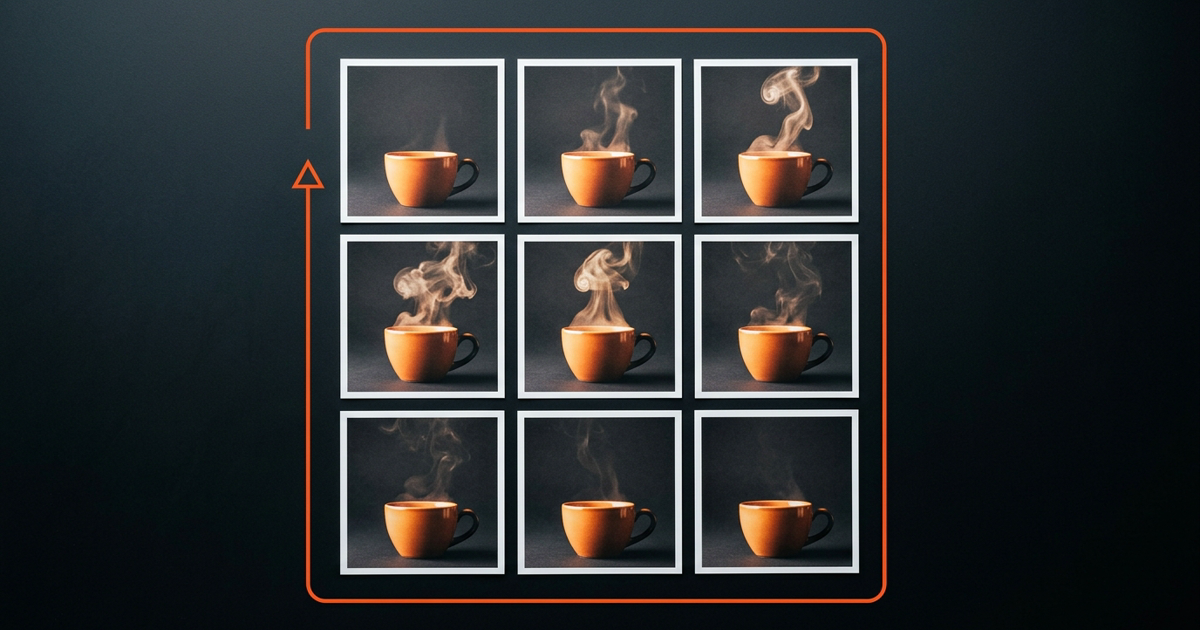
GPT Image 2.5 could only output static images, whereas GPT Image 2.6 natively outputs animated GIF and SVG starting on 2026-11-04. Every specification and limit below was verified against OpenAI's official documentation on 2026-11-21.
In this hands-on GPT Image 2.6 GIF guide, we break down what actually changed, share three copy-ready looping prompts, compare Flare vs Sunburst on identical prompts with real animated outputs, and show how to fix a single broken frame without regenerating the whole loop.
What Is New in GPT Image 2.6 GIF Generation
The 2026-11-04 release turns OpenAI's image model into a multi-format production tool rather than a static-only renderer. Two format upgrades matter most for web and product teams:
- Native animated GIF output: Passing
output_format: "gif"returns a realGIF89afile directly from one API call—no post-hoc video transcoding. Under the hood, GPT Image 2.6 GIF generation packs 2–16 frames onto a sprite sheet (4×2,3×3,4×3, or4×4) and slices them into a loop (OpenAI Image Generation Guide, verified 2026-11-21). - Native SVG output: Teams can also export editable
.svgvectors for flat icons and marks from the same endpoint.
OpenAI ships two distinct production variants:
- GPT Image 2.6 Flare (
gpt-image-2.6-flare): Built for speed and rapid drafts, rendering low-quality static images in as little as ~6 seconds (OpenAI Flare model docs, verified 2026-11-21). - GPT Image 2.6 Sunburst (
gpt-image-2.6-sunburst): Built for higher detail, complex layouts, dense text, and strict multi-round edit consistency (OpenAI Sunburst model docs, verified 2026-11-21).
How to Write Prompts: Motion + Lock Formula
Most failed GPT Image 2.6 GIF runs happen because the prompt describes a full movie scene instead of a constrained loop. Split every prompt into two explicit halves: Motion (the single element that moves and returns) and Lock (everything that must stay pixel-still).
1. Breathing Rim Light (Product Glow)
- Motion: "soft warm amber rim light breathes slowly brighter and fades back to baseline while thin wisps of steam curl gently upward."
- Lock: "keep the matte ceramic cup, walnut table, dark studio background, shadows, and camera angle completely motionless across all frames."
Seamless looping animated GIF. Motion: soft warm amber rim light breathes slowly brighter and fades back to baseline while thin wisps of steam curl gently upward from the espresso cup. Lock: keep the matte ceramic cup, walnut table, dark studio background, shadows, and camera angle completely motionless across all frames.
2. Subtle Hair Breeze (Portrait Loop)
- Motion: "loose strands of shoulder-length brown hair sway gently in a soft breeze and return to their exact starting position on the final frame."
- Lock: "keep the young woman's face, eyes, neutral warm smile, beige trench coat, studio lighting, soft gray backdrop, and camera framing completely still."
Seamless looping animated GIF. Motion: loose strands of shoulder-length brown hair sway gently in a soft breeze and return to their exact starting position on the final frame. Lock: keep the young woman's face, eyes, neutral warm smile, beige trench coat, studio lighting, soft gray backdrop, and camera framing completely still across every frame.
3. Neon Sign Flicker (Night Street Loop)
- Motion: "a warm coral neon sign reading "OPEN" pulses smoothly twice and settles back to steady glow, with faint reflections shimmering on wet brick."
- Lock: "keep the dark brick wall, mounting brackets, raindrop positions, and straight-on camera framing fixed."
Seamless looping animated GIF for a social media post. Motion: a warm coral neon sign reading "OPEN" pulses smoothly twice and settles back to steady glow, with faint reflections shimmering on wet brick. Lock: keep the dark brick wall, mounting brackets, raindrop positions, and straight-on camera framing fixed.
3 Reasons Loops Fail and Recommended Parameters
Even with a clean prompt, a GPT Image 2.6 GIF can visibly jump at the seam. Three mechanical causes account for almost every broken loop:
- First-to-last frame mismatch: If you ask for linear progress (such as walking forward or pouring liquid) without specifying a return state, the final frame jumps abruptly back to frame 1.
- Motion amplitude too large: With only 2–16 frames available, big camera pans or wide limb swings create strobing gaps between frames. Keep movement local—steam, glow, hair tips, or a slow 360-degree turn.
- Frame count does not divide the cycle: A two-beat pulse or symmetrical wave looks uneven on an odd frame count like 9 frames. Match the frame count to both your motion rhythm and the sprite-sheet grid (
4×2for 2–8 frames,3×3for 9,4×3for 10–12,4×4for 13–16).
| Animation Style | Frame Count | Frame Delay (ms) | Effective FPS | Loop Duration | Sprite Grid |
|---|---|---|---|---|---|
| UI Pulse / Micro-Interaction | 8 | 120 ms | 8.3 fps | 0.96 s | 4×2 |
| Breathing Glow / Avatar Blink | 8 | 200 ms | 5.0 fps | 1.60 s | 4×2 |
| Hair Breeze / Portrait Sway | 9 | 180 ms | 5.6 fps | 1.62 s | 3×3 |
| 360° Product Turntable | 12 | 140 ms | 7.1 fps | 1.68 s | 4×3 |
| Smooth Multi-Beat Motion | 16 | 100 ms | 10.0 fps | 1.60 s | 4×4 |
Flare vs Sunburst Same-Prompt Benchmark (Tested)
Rather than repeating marketing copy, we ran eight real 512×512 medium-quality GPT Image 2.6 GIF jobs (four on Flare, four on Sunburst) on 2026-11-21, including an identical 9-frame hair-breeze portrait prompt (frame_duration_ms: 180). Both outputs below are untouched GIF89a files straight from the API.
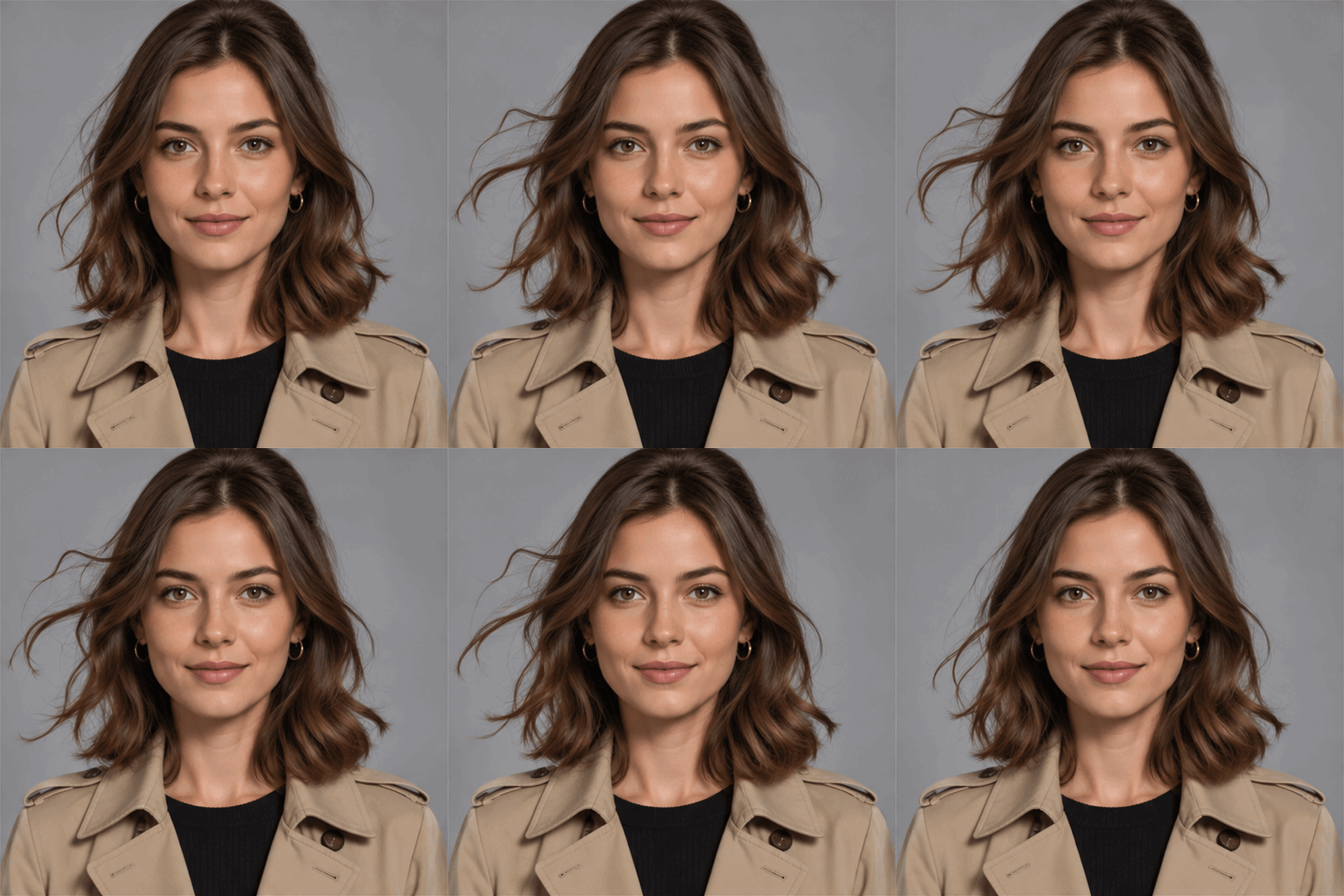
Flare (gpt-image-2.6-flare): 16s render, 1,126 KB, 9 frames @ 180ms. Faster turnaround; subtle collar fold and earring shift mid-loop.
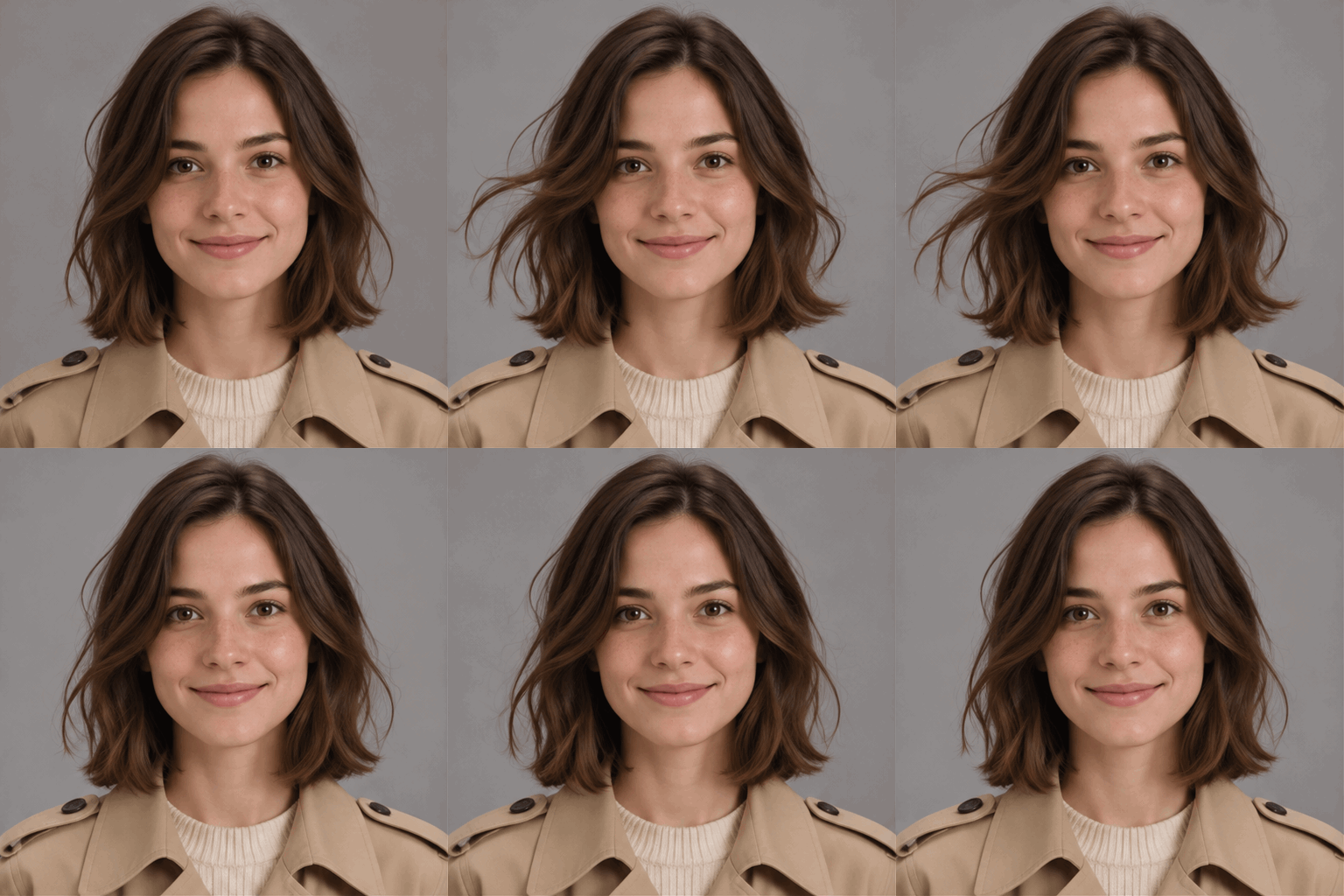
Sunburst (gpt-image-2.6-sunburst): 23s render, 1,113 KB, 9 frames @ 180ms. Tighter facial and sweater texture lock across all 9 frames.
| Metric (4 Runs Each, 512×512) | GPT Image 2.6 Flare | GPT Image 2.6 Sunburst |
|---|---|---|
| Generation Speed | 12–16s (avg 13.8s); 16s on 9-frame portrait | 15–23s (avg 19.8s); 23s on 9-frame portrait (~43% slower) |
| Loop Stability | Good; wider mid-frame hair sway with slight lapel shift | More controlled arc; tighter Frame 1 ↔ Frame 9 alignment |
| Face Preservation | Solid identity, minor earring and micro-highlight drift | Noticeably steadier freckles, catchlights, and knit detail |
| Failure Rate | 0 / 4 failed (0%) once sheet stayed within 512×512 | 0 / 4 failed (0%) once sheet stayed within 512×512 |
Takeaway: Draft prompts on Flare while dialing in framing and timing, then switch to Sunburst for final human portraits, product textures, or anything with text.
How to Fix One Broken Frame Without Re-Rolling
Even on Sunburst, a single frame in a 9- or 12-frame GPT Image 2.6 GIF can pick up a stray artifact—an extra reflection, a warped button, or a stray strand of hair. Regenerating the entire sequence throws away eight good frames. Instead, repair just the flawed frame in three steps:
- Split the GIF into PNG frames:
ffmpeg -i sunburst-portrait-test.gif frame_%02d.png - Fix only the bad frame in our img2img AI generator: Upload the flawed frame (say
frame_05.png) as your source image andframe_01.pngas your reference to edit a single GIF frame without altering the surrounding composition. Copy this repair prompt:
(Need a full garment tweak across a keyframe? Our AI clothes changer handles targeted outfit swaps while locking facial identity.)Keep the exact face, expression, background, lighting, and camera framing from Image 1. Match the collar lapel fold and earring placement from Image 2 while leaving the hair sway untouched. - Reassemble the GIF at the exact original delay:
ffmpeg -framerate 5.55 -i frame_%02d.png -vf "split[s0][s1];[s0]palettegen[p];[s1][p]paletteuse" fixed-loop.gif
How Image to Image AI Fits Right Now
To be completely transparent: Image to Image AI currently offers our live img2img editor and multi-image / 4-image blending workflows, while native GPT Image 2.6 GIF output is still in development. We intentionally omit a fake "Try GIF Generator Free" box here so readers never hit a dead end.
Today, use /img2img/ to clean up individual frames or restyle source stills before animating, check tiers on our pricing page, or leave your email on our contact page to hear when native GIF export launches.
5 Ready-to-Use GPT Image 2.6 GIF Scenarios
Below are five real 512×512 GPT Image 2.6 GIF loops generated directly via the API with the Motion + Lock formula:
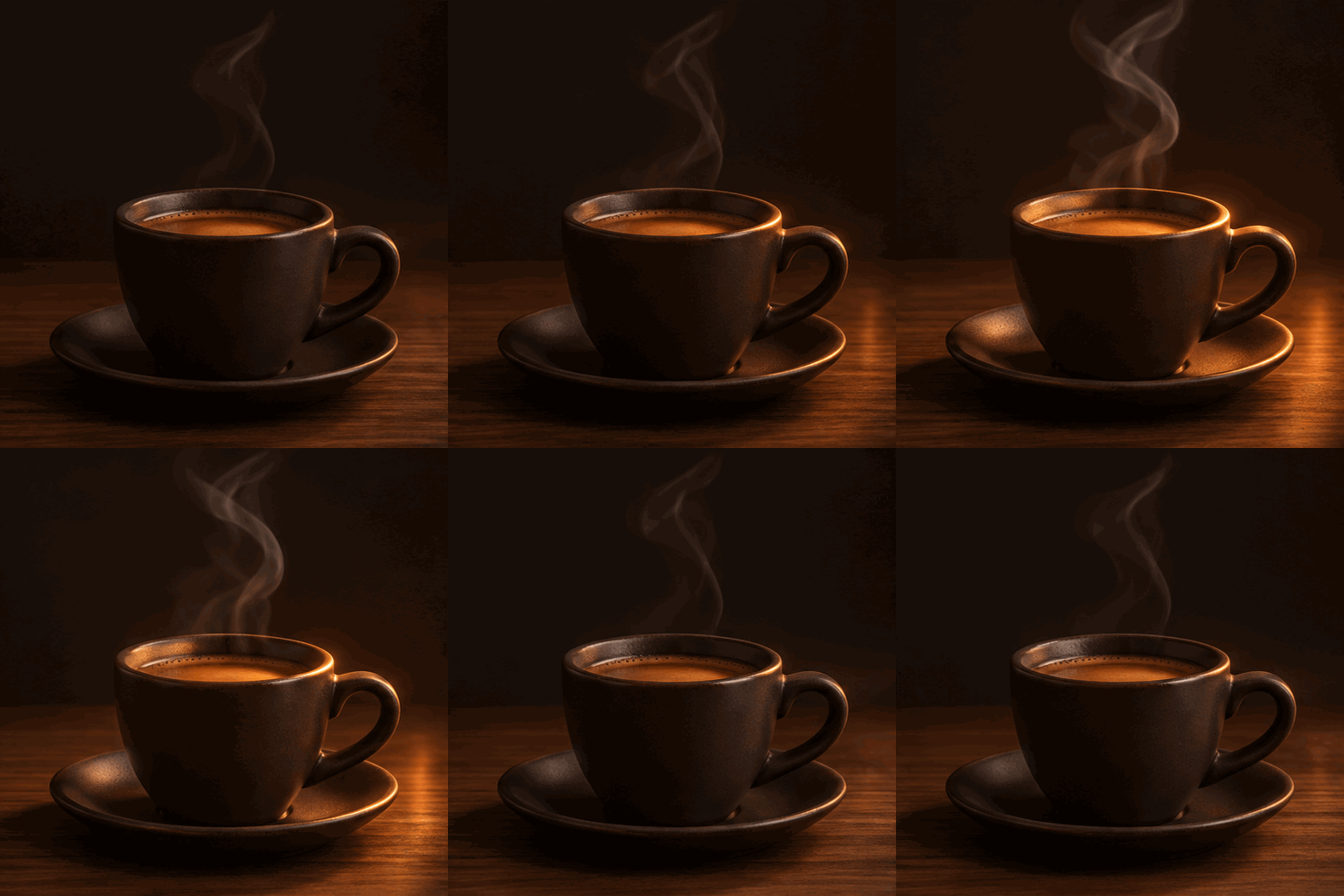
1. Product Motion (Sunburst, 8 frames, 405 KB): Subtle rising steam and breathing rim light keep the hero cup crisp for landing pages.
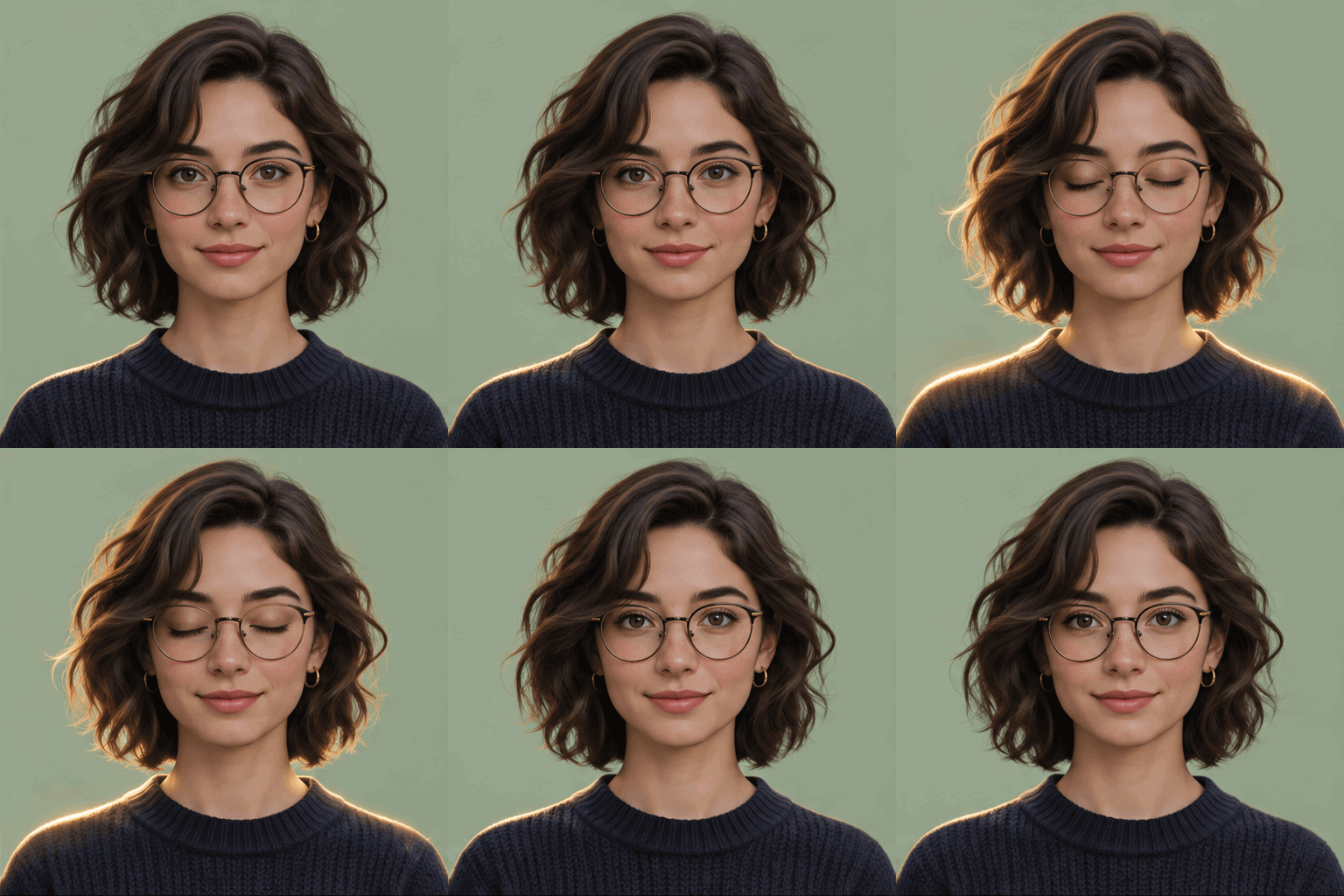
2. Animated Avatar (Sunburst, 8 frames, 758 KB): A single calm blink works cleanly for Discord, Slack, and author bio thumbnails.
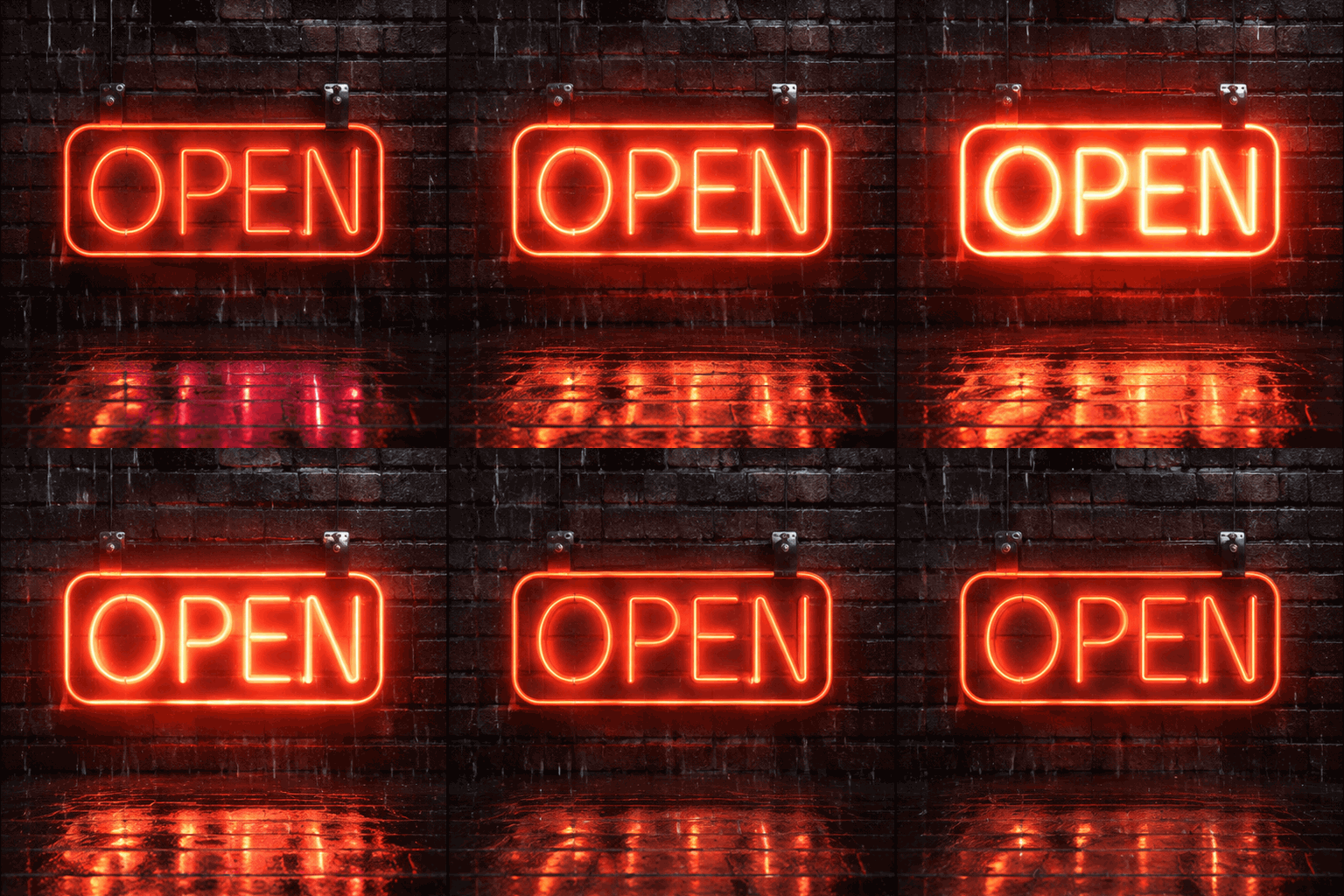
3. Social Media Post (Flare, 8 frames, 986 KB): Eye-catching neon pulse with legible lettering for announcement threads and newsletters.
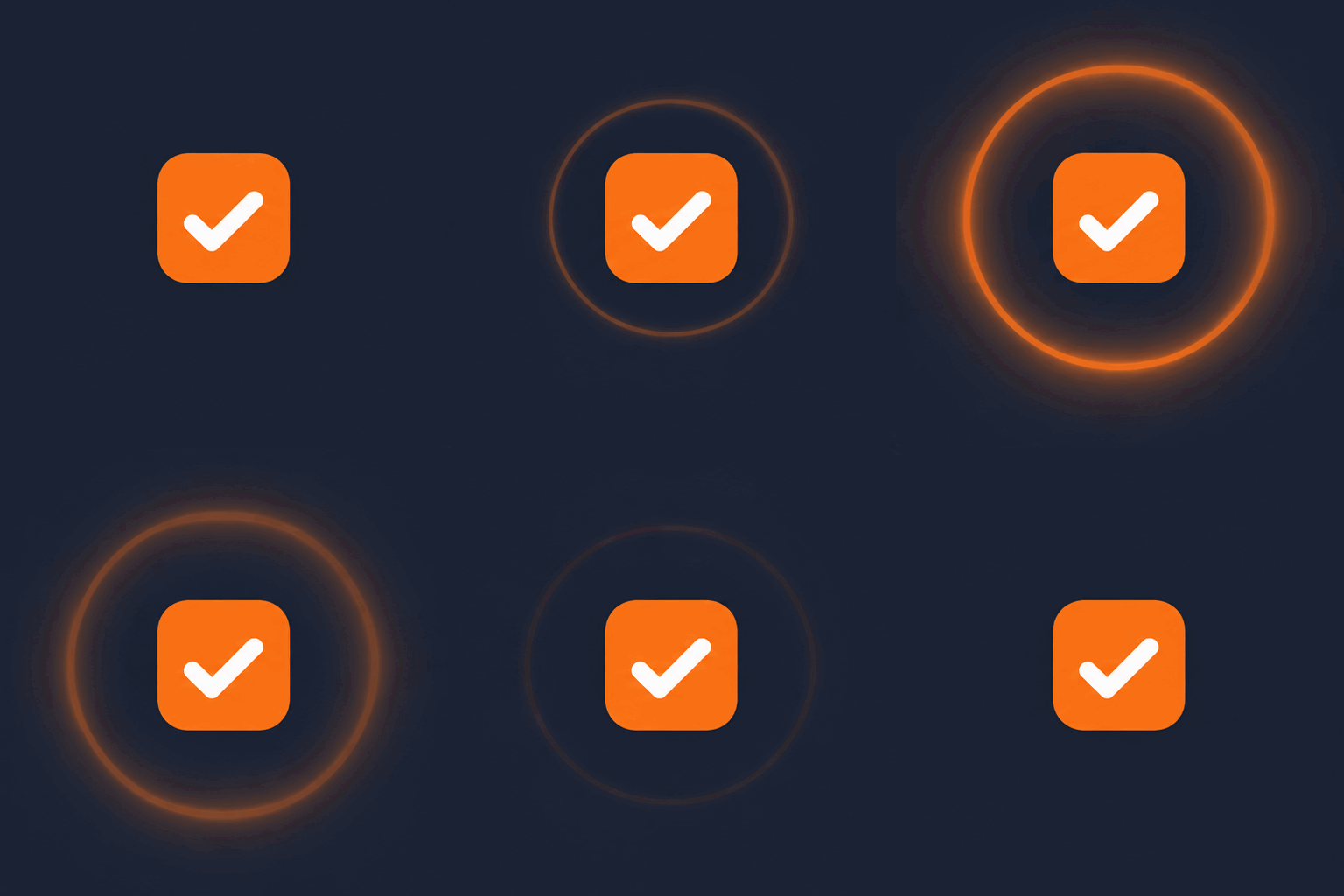
4. UI Micro-Interaction (Flare, 8 frames, 317 KB): Lightweight flat-palette pulse for onboarding tooltips and changelog previews.
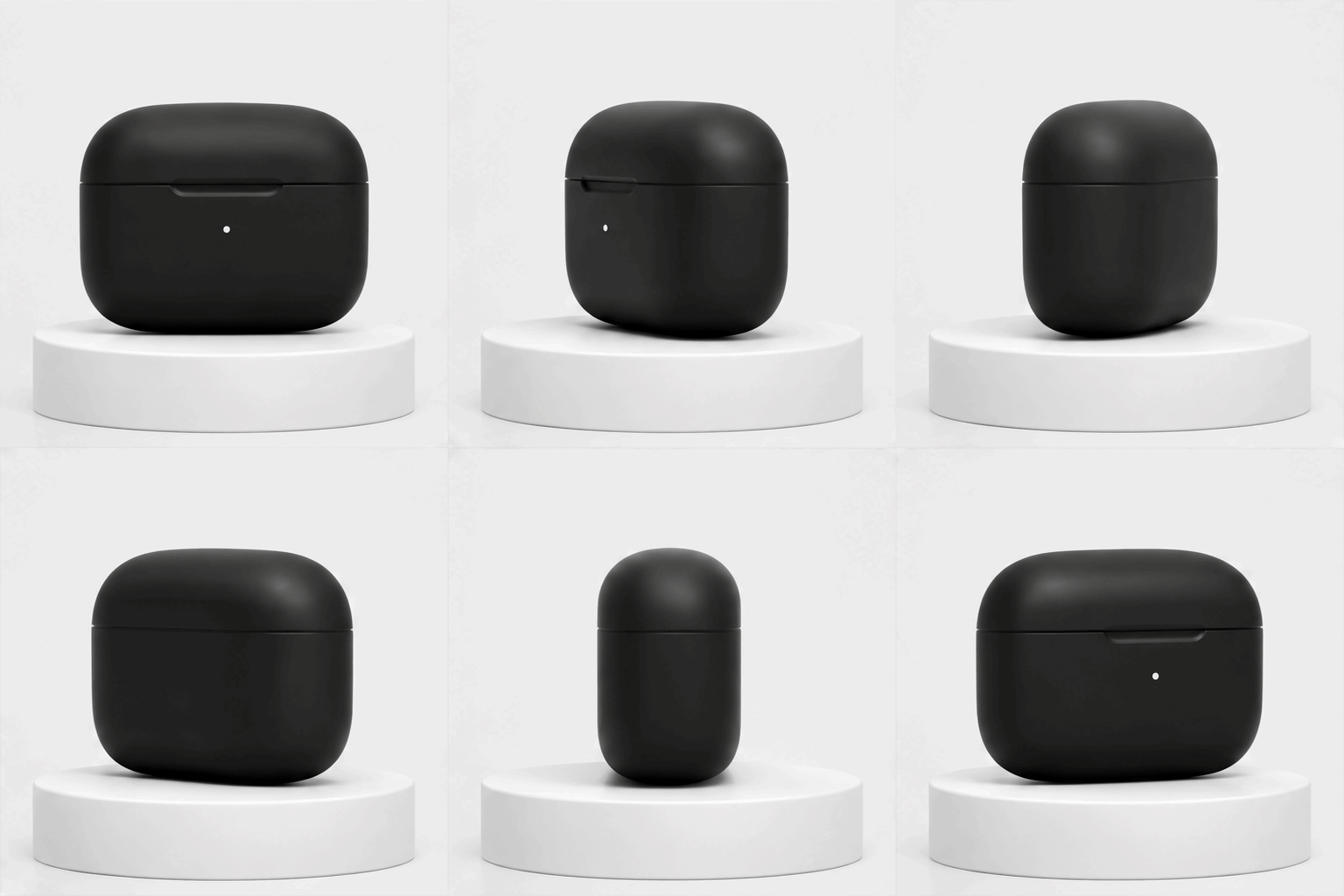
5. E-Commerce Product Loop (Sunburst, 12 frames, 568 KB): Smooth 360-degree studio turntable ready for PDP cards and email promos.
Real Limitations and Gotchas
Before wiring GPT Image 2.6 GIF generation into a production pipeline, watch four practical limits:
- Limits change with each model release: Frame caps, default sizes, and speed tiers can shift across minor snapshots without notice.
- Sprite-sheet pixel caps & API rate limits: Because frames pack onto one sheet (each side ≤ 3,840 px, total ≤ 8,294,400 px),
512×512supports all 2–16 frames,768×768caps at 12 frames, and1024×1024fails with a400error even at 2 frames. High-concurrency batches can also hit per-minute image rate limits. - GIF file weight: Photographic 9-frame loops easily cross 1 MB (our portrait tests hit 1,113–1,126 KB), whereas flat UI graphics stay around 317 KB. Run
gifsicleor convert to muted looping WebP/MP4 for hero slots. - Transparent backgrounds: API
background: "transparent"is built forpngandwebp. GIF's 1-bit alpha channel cannot render soft anti-aliased shadows cleanly, so match your target page background color instead.
Frequently Asked Questions
Can GPT Image 2.6 make GIFs?
Yes. Starting on 2026-11-04, GPT Image 2.6 natively outputs animated GIF files directly from text or image prompts without external video-to-GIF conversion.
Is GPT Image 2.6 free?
Limited access is available inside ChatGPT tiers subject to daily usage caps, while API access to Flare and Sunburst is pay-as-you-go per image token. There is no unlimited free API tier.
Does it support SVG?
Yes. Alongside native GIF animation, GPT Image 2.6 supports scalable SVG vector output for clean logos, icons, and flat illustrations.
Can I control frame rate?
Yes. In the API you control playback speed with frame_duration_ms (20 to 2,000 ms, rounded to 10 ms; default 200 ms = 5 fps) and frame_count (2 to 16 frames; default 9).
Why is my GIF not looping?
Loops break when the final frame does not return to frame one, when motion amplitude is too large for 8–12 frames, or when your action cycle does not divide cleanly into the chosen frame count.
What is the difference between Flare and Sunburst?
Flare is tuned for speed and rapid drafts (as fast as ~6 seconds on low-quality static images and 12–16 seconds in our 512×512 GIF tests). Sunburst takes longer (15–23 seconds in our tests) but holds finer facial details and smoother loop alignment.
How do I edit a single frame?
Split the GPT Image 2.6 GIF into numbered PNG frames with ffmpeg, fix only the broken frame using an img2img AI generator, and reassemble the sequence with the original frame delay.
Related reading: Which AI Image Generator Supports Multiple Reference Images? · How to Restyle Photos While Keeping Faces & Pose Consistent · E-Commerce Product Photo Editing with Image to Image AI
Limits change with each model release. Last verified 2026-11-21 against OpenAI's official docs.